

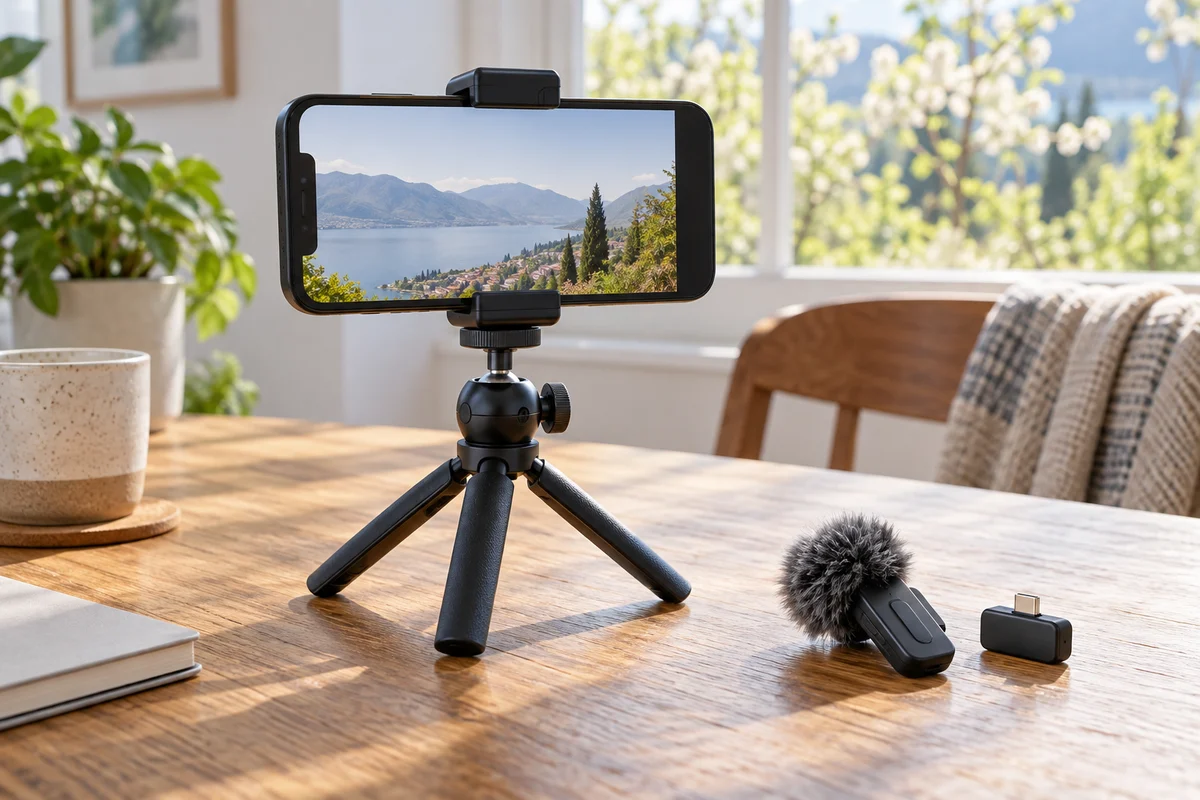
Visual guide
Three separate jobs in a video kit
Support → stable framing
Phone clamp → tripod → stable surface.
Audio → an intelligible voice
Transmitter → receiver or supported app → recorded file.
Light → a visible face
Window or separately secured light → subject.
Make a short recording before buying anything. Put the phone where you would film, speak at your normal volume, and watch the result with headphones. Is the voice distant? Does the frame drift? Is your face dark? Buy for that problem, one piece at a time.
This is part of Smartphone Photography & Video. It assumes you already own a phone. The phone selection guide covers replacement decisions, and the technical guide explains image limits that accessories cannot remove.
Pick one configuration
| Configuration | Start with | Add only if needed | Leave out initially |
|---|---|---|---|
| Minimal travel kit | Existing phone and a compact tripod with a secure phone clamp | A microphone for spoken pieces | Gimbal, separate light, cages, and external recording rig |
| Talking-to-camera kit | Secure support, a quiet position, and light from a window | Wireless microphone; a small independent light for repeatable indoor sessions | Walking stabilizer for a fixed frame |
| Moving-shot kit | Phone, rehearsed route, and a stabilizer only if handheld footage fails your goal | Compatible audio for speech during movement | Heavy lenses, filters, and receivers that upset balance |
The minimal kit occupies the lowest spending and packing tier. Adding wireless audio or a separate light increases both. A stabilizer adds the most setup to these configurations. There is no honest all-in price or weight without specifying the phone, case, exact mounts, cables, and charging equipment as well.
Minimal travel kit: make the frame stay put
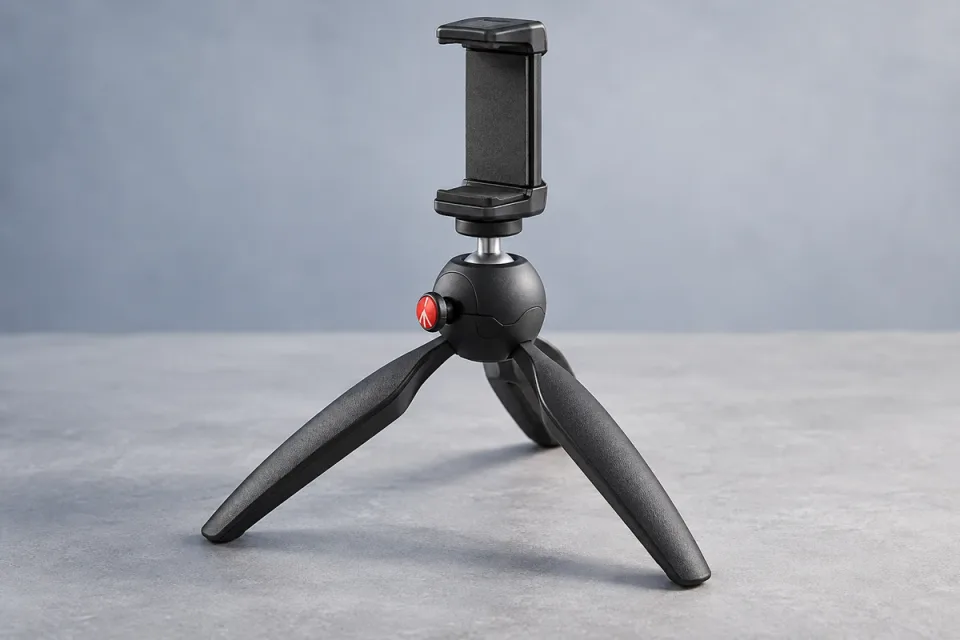
For a short introduction, group clip, or stationary view, a compact support can be more useful than another camera mode. The reference here is the Manfrotto PIXI kit with smartphone clamp, MKPIXICLMII-BK. The manufacturer documents an included clamp and push-button ball head. Order the complete kit, not a visually similar bare tripod.
Use it on a broad, stable surface where the legs can spread fully. A tabletop tripod does not create eye-level height by itself. Choose a safe table or ledge, or change the composition. Do not build an unstable tower to imitate a full-height stand. Tighten the clamp connection and check that the phone cannot slide when you tilt it.
This support is optional if every planned shot is handheld and the footage already looks right. Its exact clamp fit with a bulky case remains a purchase check: the kit specification page does not provide a sufficient case-by-case matrix. Do not substitute an opening dimension from another PIXI clamp revision. A support you already own and have verified is the first alternative.
Leave audio equipment behind for silent scenic clips if you do not need recorded sound. If a short spoken segment matters, moving the phone closer and choosing a sheltered spot may be enough. Add a microphone only when the voice still loses to distance or background noise.
Talking to camera: solve sound before adding decoration
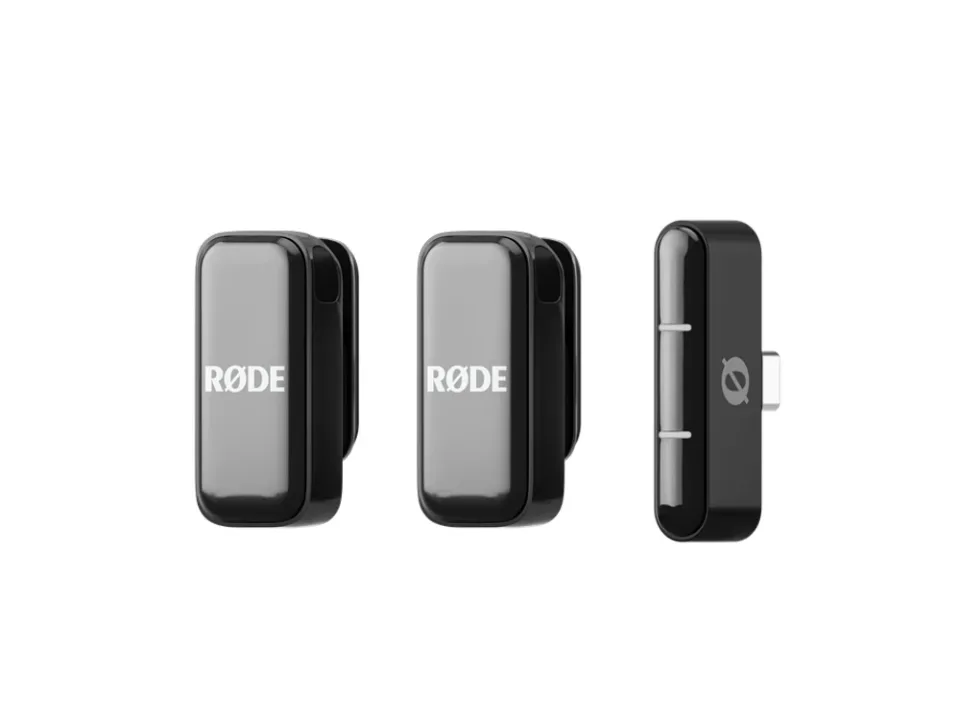
The RØDE Wireless Micro USB-C smartphone kit is a documented option for a compatible USB-C phone; a separate Lightning version exists for older iPhones. The smartphone receiver and camera receiver are different configurations. Buy the intended kit, not just a transmitter or a similarly named camera bundle. The US product page documents the included transmitters, charging case, and furry windshields.
Clip a transmitter where fabric will not rub against it. Turn your head and move your shoulders during the test. A clean stationary sentence can hide clothing noise that appears as soon as you move. Outdoors, fit the wind protection and find shelter before relying on processing. A microphone captures sound; it does not improve picture sharpness or prevent phone movement.
Keep the support from the minimal kit and frame at a comfortable distance. Start with a window to one side of your face. Turn off a conflicting room light if it produces an unattractive color mix. Avoid placing a bright window directly behind you unless you deliberately want that look and can expose the face appropriately.
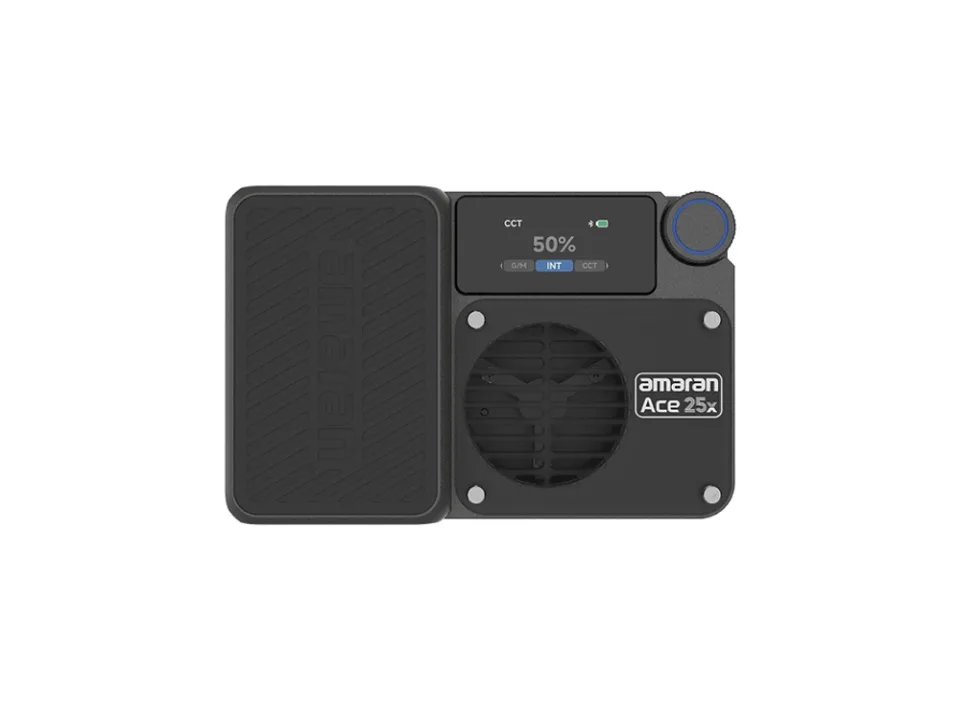
For repeatable evening sessions, the amaran Ace 25x is an optional bi-color light, documented from 2,700K to 6,500K. Use a separately secured stand or a verified kit that includes one. Its mounting system is not proof it can attach to your phone clamp. The manufacturer’s page distinguishes the light and its accessories. Keep it off the phone rig in this configuration; no unverified combined payload is claimed.
Skip the light if a window works at your recording time. Skip the wireless microphone if a nearby phone in a quiet room already records an intelligible voice. Spend the saved setup time checking background distractions, eye line, and whether the full take remains in focus.
Moving shots: earn the stabilizer’s place
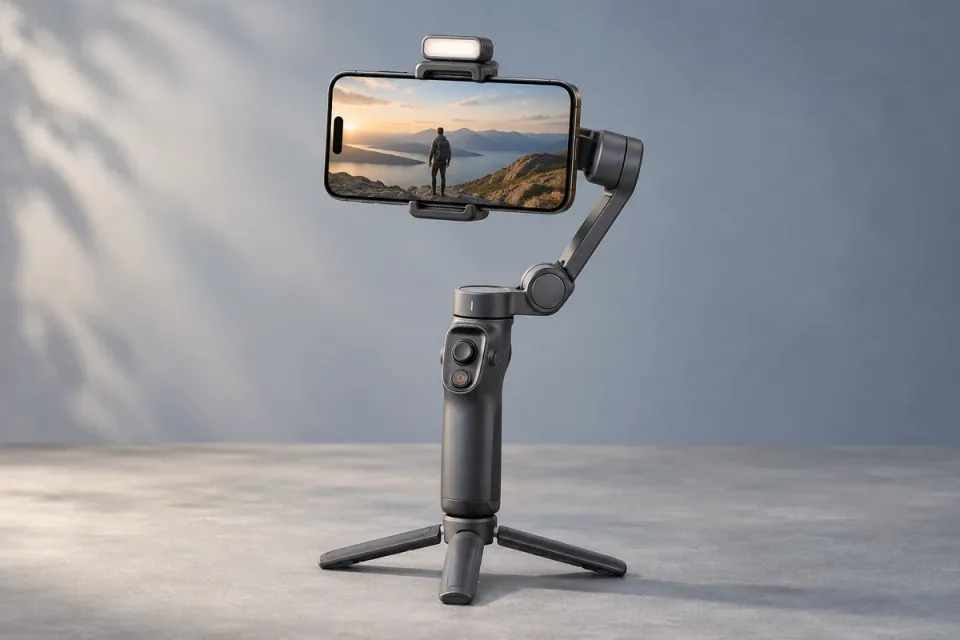
Try standing still and letting the subject move first. A stable view often edits better than a long wandering shot. If you need a controlled walk, reveal, or follow, the Hohem iSteady V3 Ultra is the reference stabilizer here. Its official specification lists a 400 g maximum payload and a 58–98 mm phone-width range; the manufacturer FAQ adds a 12.5 mm thickness limit and design exclusions.
Those limits are necessary checks, not a guarantee for every assembled rig. Count the case and anything attached to the moving phone, including a receiver. Check clearance through the intended tilt and rotation before powering through a shot. A phone can fit the jaws and still be poorly balanced or collide with an arm.
A gimbal controls rotation, but your steps still move the camera up and down. Slow down, bend your knees slightly, and rehearse a short route. Do not walk backward without someone watching the route. For a long static introduction, return to a stable support rather than holding a powered stabilizer unnecessarily.
For speech, the Wireless Micro’s receiver route still needs port and arm clearance. RØDE also documents Direct Connect through RØDE Capture on iOS. That can avoid a protruding receiver for that specific workflow, but is not a promise of Bluetooth audio in Apple’s Camera app or Android capture apps. If the combination fails a full rehearsal, record the moving shot without dialogue and add narration later.
Compatibility matrix: verify the complete path
| Phone or setup | Receiver or adapter | Capture application | Charging during capture | Physical check |
|---|---|---|---|---|
| USB-C iPhone with Wireless Micro | USB-C smartphone receiver | Confirm input in the intended app; RØDE Capture is documented | No receiver pass-through charging claim made here | Remove a case that prevents full seating |
| Lightning iPhone with Wireless Micro | Matching Lightning receiver | Test the actual iOS capture app | Not assumed | Confirm exact receiver version and case opening |
| Android USB-C phone with Wireless Micro | USB-C smartphone receiver | Manufacturer supports the device class; individual app routing requires a recorded test | Not assumed | Check USB audio recognition, case clearance, and playback |
| iOS Direct Connect | No receiver; paired transmitters | RØDE Capture specifically, with supported OS and firmware | Port remains free; exact charging setup still needs testing | Confirm connection before each take |
| Phone on PIXI MKPIXICLMII-BK | No electronic connection required | Any capture app | Independent of the tripod; route cables safely | Verify actual clamp fit and complete support stability |
| Phone on iSteady V3 Ultra | Audio remains a separate path | Native capture or Hohem Joy; available controls vary | No combined audio-and-charge setup certified here | 58–98 mm width, up to 12.5 mm thick, within 400 g; non-folding design and balance restrictions apply |
| Ace 25x off-camera | No phone adapter required | Light controlled independently | Use the light’s own power instructions | Separate secure support; no combined gimbal payload claim |
RØDE’s connection guidance specifically warns about obstructing cases. Check app input by speaking near the transmitter while the phone is farther away, then replay the file. A connected indicator alone does not prove the file used the external microphone.
Power, storage, and the take you cannot repeat
Charge the phone and every powered accessory before leaving. A receiver, external drive, and charging cable may compete for the same port. Do not add an untested hub on the morning of a trip and assume every device will work together. When possible, charge between takes and keep the capture path simple.
Make room for the expected day’s footage and one unexpected long sequence. Transfer a sample using your actual cable or wireless method and open it in the editing application. Check picture, audio, orientation, and duration. Keep important originals in two places before deleting them from the phone.
Avoid leaving the mounted phone in direct sun between shots. If the device warns about temperature or stops recording, follow its guidance and reduce the workload. No battery-life or thermal guarantee is made for these assembled kits.
Before-departure assembly check
- Fit the actual phone and case, then inspect every clamp and thread.
- Confirm lenses, buttons, ports, and receiver are unobstructed.
- Record speech with normal head and body movement; listen for wind and fabric noise.
- Run the intended app, lens, resolution, frame rate, and stabilization mode together.
- Move a gimbal through the intended range and stop if it strains or collides.
- Record a full-length rehearsal, then transfer and play back the original.
- Pack only the configuration that solved the problem. Leave the other two at home.
Compare the exact configurations
| Product | Configuration | Before you choose |
|---|---|---|
| Manfrotto PIXI MKPIXICLMII-BK | Black mini tripod with included smartphone clamp | Order MKPIXICLMII-BK complete kit; obtain exact clamp opening and verify phone fit before ordering. |
| RØDE Wireless Micro USB-C | Black smartphone kit with two transmitters, USB-C smartphone receiver and charging case | Confirm smartphone receiver, case clearance and recorded audio in the intended app. |
| Hohem iSteady V3 Ultra | Standard phone gimbal with tracking module; US purchase target | Check 58–98 mm width, up to 12.5 mm thickness, 400 g payload and manufacturer exclusions. |
| amaran Ace 25x | Bi-color light, charcoal; mounting support must be specified separately | Check package contents, mounting support, power needs and US seller warranty. |
Transparent evidence
Method and limitations
Documentary selection of support, audio, lighting, and stabilization tools. Hardware interfaces and manufacturer requirements were checked; no complete phone-accessory combination was physically tested. Unconfirmed app and case combinations are identified explicitly rather than treated as compatible.
- No total kit weight or budget is claimed because phone, case, cables, mounting accessories, and local offers vary.
- Accessory fit and capture-app behavior must be checked for the exact phone and software version; a shared connector alone is not confirmation.
Five key takeaways
- Play back a complete test recording with the exact phone, app, receiver, and mount before departure.
Primary sources
- manfrotto.com · Verified 2026-09-19
- rode.com · Verified 2026-09-19
- help.rode.com · Verified 2026-09-19
- hohem.com · Verified 2026-09-19
- hohemtech.zendesk.com · Verified 2026-09-19
- amarancreators.com · Verified 2026-09-19
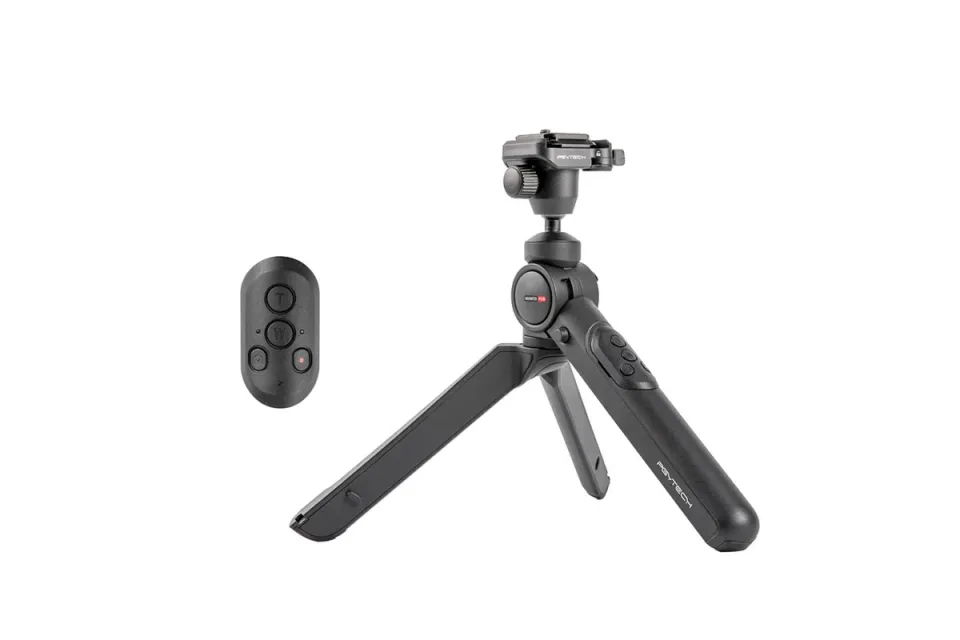
A compact support option
For static framing on a table, the PGYTECH MantisPod 2.0 Remote Control Kit is another support option. Keep the complete camera kit below 2 kg; phone and action-camera adapters are separate. It does not stabilize walking footage.