

Start with the footage, not the card label
This Decision Lab is for a traveler filming family scenes, hiking clips or a deliberate road-trip story. It helps answer two different questions: how much footage will the trip create, and where will the independent copies live? Buying a faster card answers neither question on its own.
Before calculating, list the recording modes you expect to use and how many minutes you will actually record each day. Twenty short clips and a half-hour continuous interview create different workflows. Include unsuccessful takes if you retain them. Then check the space already occupied on the phone, card or drive.
The storage formula you can reproduce
Video bitrate is commonly written in megabits per second (Mbps). Storage is commonly labeled in gigabytes (GB). There are eight bits in a byte. Using decimal GB:
Footage GB = Mbps × minutes × 60 ÷ 8,000.
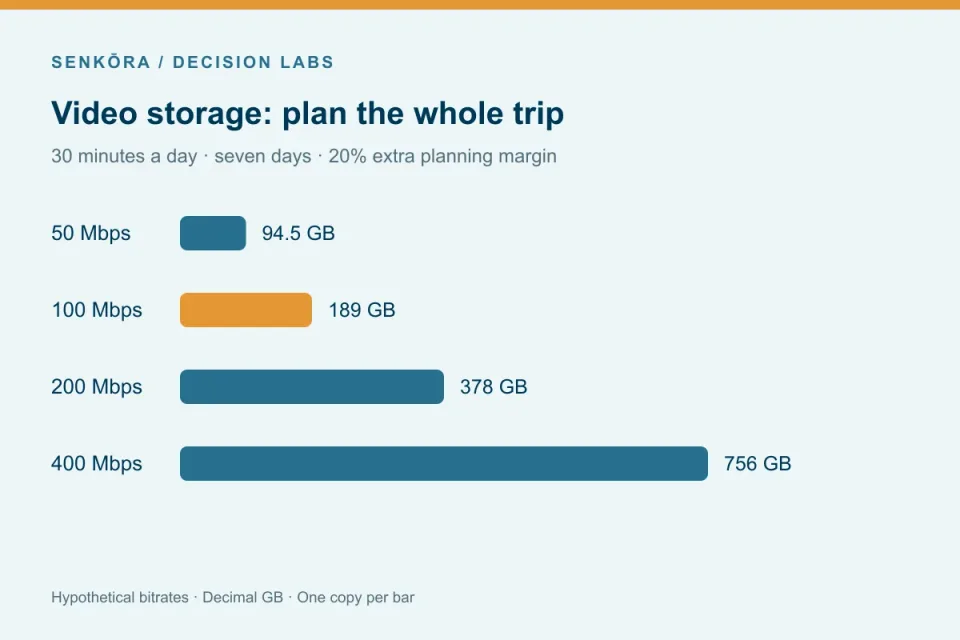
At an assumed 100 Mbps, one recorded hour is 100 × 60 × 60 ÷ 8,000 = 45 GB. Recording 30 minutes a day for seven days yields 157.5 GB. Add 20% as an extra planning allowance: 157.5 × 1.2 = 189 GB per copy.
The allowance means adding one fifth to the modeled footage. It does not mean reserving exactly 20% of a drive as free space. If that is your goal, divide footage by 0.8 instead. This Lab uses the first convention throughout.
A week of footage at four assumed bitrates
Every row below assumes 30 recorded minutes per day for seven days. These are scenarios you can substitute into the model, not bitrate specifications for a particular phone or camera.
| Assumed bitrate | Footage for the week | Per copy with 20% extra | Two independent copies | What changes |
|---|---|---|---|---|
| 50 Mbps | 78.75 GB | 94.5 GB | 189 GB | Lower storage burden for this assumed mode |
| 100 Mbps | 157.5 GB | 189 GB | 378 GB | One nominal 128GB card cannot hold the whole plan |
| 200 Mbps | 315 GB | 378 GB | 756 GB | Daily offload or additional recording media may be useful |
| 400 Mbps | 630 GB | 756 GB | 1,512 GB | Each full-trip copy needs substantial free capacity |
Capacity does not establish recording speed
A large card can have enough room and still be unsuitable for a recording mode. The SD Association defines recording-speed classes and explains why the host and card must be matched. V30, V60 and V90 correspond to minimum sequential write classes of 30, 60 and 90 MB/s under their defined conditions.
For arithmetic context, 100 Mbps is 12.5 MB/s and 400 Mbps is 50 MB/s. Do not select a card by those conversions alone: a camera can require a particular class, interface or approved card for the chosen codec. Advertised peak read speed is a different specification. Follow the camera manual even if a smaller class appears to fit the average bitrate.
The SanDisk Extreme PRO SDXC UHS-I 128GB V30 is a full-size recording-card reference for compatible modes. The manufacturer’s family datasheet documents this capacity and class. Generation-specific part numbers and advertised speeds vary, so this article makes no peak-speed claim. It does not fit a microSD-only slot, and it is not a recommendation for a mode that requires V60 or V90.
Plan independent copies before you erase anything
In the 100 Mbps week, two full copies with the allowance need 189 GB each on separate destinations, or 378 GB total. Two copies can be the original recording media plus a verified offload, as long as neither is erased. If you reuse those recording cards, the footage no longer remains there; maintain two other independent copies before formatting them.
Copy the files, compare counts and sizes, use checksum verification when your workflow supports it, and open representative clips from the destination. Store the destinations separately when practical. Two partitions or folders on one physical drive still share that drive’s failure risk.
The Samsung T7 Shield 1TB Black, US MU-PE1T0S/AM, is an example of a USB destination, not a self-contained backup station. A reader and compatible computer or mobile host must perform the transfer. Test power, cables, file system and access to the source before leaving. Direct recording from a camera or phone to this SSD is not assumed.
Keep the equipment that already meets the plan
Keep your current cards if they satisfy the exact recording-mode requirements and have enough actual free capacity between planned offloads. Keep your current drive if it has the required free space and you can verify transfers to it. Reduce unnecessary recording duration or choose an appropriate lower-bitrate mode when that still supports the finished video.
Buy capacity only for the gap you can identify. A higher bitrate is not automatically a better travel choice if you cannot edit, back up or deliver the files effectively. Add space for photographs, project files and proxies separately; the footage calculator does not quietly assume them.
Use the calculator and verify the assumptions
The calculator below starts with the 100 Mbps example. Replace its inputs with your mode’s documented rate or a representative file average. To estimate an average, divide a file’s bytes by its actual recording duration, multiply by eight and convert to Mbps. For variable-bitrate modes, sample several scenes and retain a conservative allowance.
This is a reproducible planning calculation, not a capacity or speed test. The downloadable CSV preserves the four scenario inputs. Product and standards references were checked on October 4, 2026; formatted free space and your transfer workflow remain your responsibility to measure.
Plan your own trip
Video storage calculator
Use your recording mode's documented bitrate or a measured file average. These defaults are planning assumptions, not camera specifications.
157.5 GB of footage plus a 20% planning margin. Keep independent copies on separate devices.
Recommended gear
Find your next piece of gear
Find the setup that fits your plans, then explore prices and buying options on Amazon.
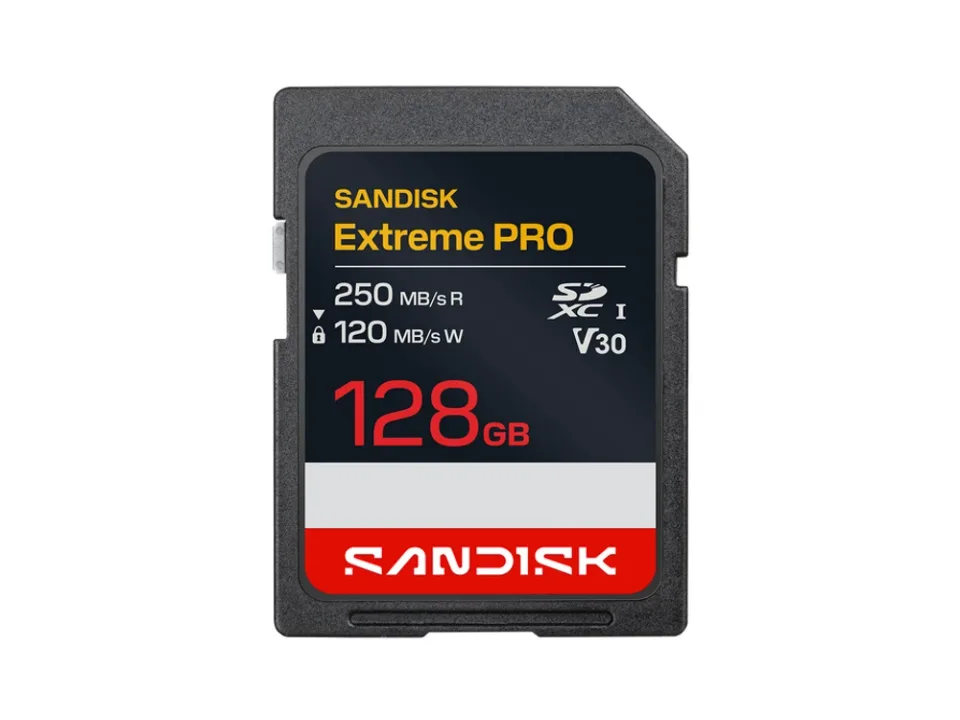
Photo: SanDisk. Resized for display.
SanDisk
SanDisk Extreme PRO SDXC UHS-I 128GB V30
Best for: Compatible full-size SDXC V30 recording modes
A full-size SDXC recording-card reference for modes whose documented requirements accept UHS-I V30. Capacity does not establish recording compatibility. This reference does not cover V60/V90 modes or microSD slots.
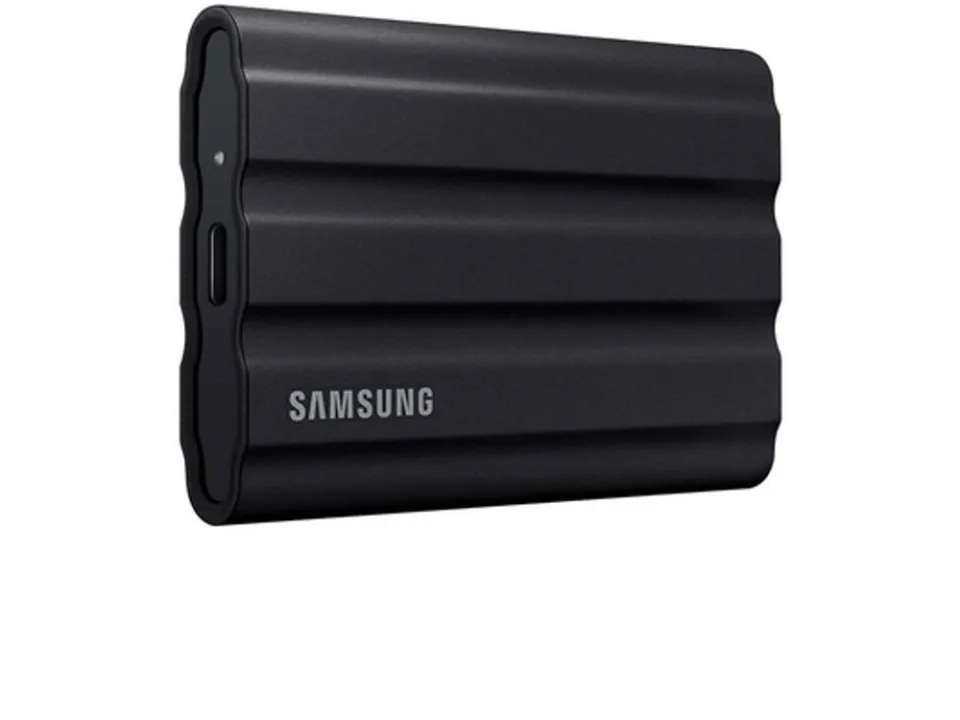
Photo: Samsung. Resized for display.
Samsung
Samsung T7 Shield 1TB Black
Best for: Verified copies through a compatible USB host
A separate USB destination for verified copies of travel footage when your host supports the transfer workflow. A drive cannot copy a memory card by itself. A single SSD is still one copy, and direct camera recording is not assumed.
Transparent evidence
Method and limitations
Decimal storage model: GB = Mbps × recorded minutes × 60 ÷ 8000. Multiply by days, then by 1 + margin/100 for each copy. Multiply by the number of independent copies for total capacity. Bitrates are deliberately hypothetical planning inputs, not model-specific camera claims.
- Container overhead, variable bitrate, additional audio tracks, proxies, still photos and editing files are not separately modeled.
- Nominal capacity is not the same as formatted free space; use actual free space when assigning destinations.
- Card and host compatibility must follow the exact camera mode requirements, not a calculator result.
Five key takeaways
- Resolution alone does not determine file size; bitrate and time drive this model.
- 100 Mbps for one hour produces 45 GB in decimal units.
- An added 20% margin is footage multiplied by 1.2, not a promise of 20% free space.
- Card recording speed and storage capacity are separate decisions.
- Two folders on one drive are not two independent backup copies.
Frequently asked questions
How much space does one hour of 4K video need?
There is no single 4K answer. At an assumed 100 Mbps it needs about 45 GB; at 200 Mbps about 90 GB. Check your actual recording mode or measure files.
Does a 128GB card hold a week of travel footage?
It depends on your recording time and bitrate. The seven-day 100 Mbps example requires 157.5 GB before any margin, so one nominal 128GB card is too small for that complete plan.
Can a portable SSD back up a memory card by itself?
Usually a host and reader are needed. Verify the actual computer, phone or dedicated backup device workflow before travel; the drive alone is not a card copier.
Primary sources
- sdcard.org · Verified 2026-10-04
- documents.sandisk.com · Verified 2026-10-04
- samsung.com · Verified 2026-10-04