

DJI has reached the end of the official service road for one of its best-known folding camera drones. The company’s support calendar lists August 31, 2026 as the service-suspension date for the Mavic 2 Pro.
From that date, DJI says it will no longer provide product inquiries, technical support, or product maintenance for the model. That is a meaningful change for owners, but it is narrower than some alarming interpretations suggest.
The Mavic 2 Pro is not being remotely disabled. DJI is ending its official support and maintenance path.
The distinction matters. A functioning aircraft does not suddenly stop functioning because the calendar changes. Nor does DJI’s announcement create a new FAA prohibition. What changes is the safety net around the product: owners can no longer plan around manufacturer troubleshooting or official repair when a fault appears.
What DJI is ending on August 31
DJI’s official notice places the Mavic 2 Pro in a table of older products with fixed production- and service-suspension dates. The company says that, from the applicable service-suspension date, it will stop providing three categories of service:
- product inquiries;
- technical support;
- product maintenance.
For an owner, this means a future hardware fault, controller issue, camera or gimbal problem, or unexplained behavior may no longer have an official DJI diagnostic and repair route. It also means advice previously obtained through DJI support should be preserved rather than assumed to remain available later.
The notice does not say that DJI will send a command that disables the aircraft. It does not revoke ownership, announce a mandatory return, or establish an immediate shutdown date for the flight app. It also does not say that every accessory, battery, propeller, download, or help page will disappear on August 31.
Those omissions should not be turned into promises. DJI has not guaranteed indefinite app compatibility, downloads, cloud functions, firmware access, or spare-parts availability. The accurate conclusion is simply that the published action concerns support and maintenance, not remote deactivation.
Is the Mavic 2 Pro still usable?
Yes, a safe and functional Mavic 2 Pro may remain usable after official support ends. Its practical life now depends more heavily on the condition of the individual unit and on the owner’s ability to maintain a reliable operating setup.
That creates four separate questions:
- Is the aircraft mechanically and electrically sound? Cracks, impact history, motor noise, gimbal faults, sensor errors, corrosion, swollen batteries, and unreliable connections deserve more weight now that official repair is ending.
- Is the control setup dependable? The required app must remain available and compatible with the owner’s phone or tablet, operating system, controller, cables, login state, and normal workflow.
- Is there a realistic maintenance path? Consumables may remain easy to find while model-specific structural, camera, gimbal, or electronic parts become difficult to source. Independent repair capability varies.
- Can the aircraft be operated legally for the intended flight? FAA rules are unchanged by DJI’s service decision and must be checked separately.
A drone that answers all four questions well can still be a useful tool. A drone with an uncertain battery history, intermittent faults, or no credible repair path may be a poor choice even if its purchase price looks attractive.
Owner checklist: what to do now
The goal is not to perform unnecessary updates or open a working aircraft. It is to preserve the information and equipment needed to make good decisions later.
1. Preserve your records and working setup
- Save proof of purchase, serial numbers, repair invoices, service correspondence, and any incident history.
- Record the controller, mobile device, operating-system version, app version, cable, and login configuration that currently works.
- Back up original photos and videos, flight logs, and other data you are entitled to retain.
- Keep a copy of important manuals and official instructions that DJI permits users to download.
- Do not erase, update, or replace a stable setup solely because support is ending. First confirm the purpose, compatibility, and recovery path for any change.
This record is valuable when diagnosing a future fault or evaluating the aircraft for resale. It can also help an independent technician understand what changed and when.
2. Assess every battery individually
A battery deserves more attention than its cosmetic appearance. Before flight, inspect it for swelling, deformation, cracked casing, damaged contacts, unusual heat, leakage, odor, charging errors, unexpected shutdowns, or a substantial change in useful runtime.
Review the battery information available through the working app, including warnings and cell behavior where provided. Mark batteries so their histories are not confused. Store and transport lithium batteries according to the applicable safety guidance, and retire any pack that presents a safety concern rather than trying to extract one more flight from it.
Senkōra cannot establish a universal retirement threshold from age or cycle count alone. Usage, storage charge, temperature, impacts, manufacturing variation, and observed behavior all matter. When the evidence is ambiguous, the conservative choice is not to fly that battery.
3. Inspect propellers and the airframe
- Check each propeller for chips, stress marks, warping, looseness, damaged hubs, or uncertain provenance.
- Confirm that replacement propellers are intended for the exact model and installation position.
- Inspect arms, hinges, landing points, vents, motors, fasteners, camera, gimbal, sensors, and controller sticks.
- Power up in a safe location and review warnings before planning a consequential flight.
- After any impact or water exposure, treat a simple visual check as insufficient if hidden damage is plausible.
An old stock listing is not automatically a good part. Packaging, seller descriptions, counterfeits, storage conditions, and exact compatibility need scrutiny.
4. Test app and controller compatibility without creating downtime
Keep track of the phone or tablet that reliably runs the flight app. Before changing its operating system, replacing the device, signing out, or removing the app, confirm how the application can be restored and whether the intended version remains supported on the new configuration.
Run a controlled preflight check after any change. Verify controller pairing, camera view, storage, compass and sensor status, home-point behavior, Return to Home settings, battery data, and Remote ID setup where applicable. A successful launch screen is not a substitute for a complete preflight check.
5. Identify a repair path before you need one
If the aircraft is important for work or time-sensitive travel, investigate independent repair before a failure. Ask whether the provider works on the exact Mavic 2 Pro, which faults it can diagnose, where parts come from, what testing follows a repair, what warranty applies to the work, and whether data or settings may be altered.
Do not assume that a shop advertising general drone repair has the parts, software, calibration capability, or experience required for every model-specific fault. For safety-critical structural, propulsion, power, or flight-control issues, uncertainty is itself a reason not to fly.
DJI support and FAA compliance are separate
DJI decides whether it supports and repairs a product. The FAA governs operation in the U.S. National Airspace System. The end of DJI support neither cancels FAA obligations nor creates a new FAA grounding order.
For recreational pilots, current FAA guidance includes flying only for recreation under the statutory exception, following recognized safety guidelines, maintaining visual line of sight, yielding to other aircraft, respecting controlled-airspace authorization and altitude limits, passing TRUST, and maintaining required registration. Commercial and other non-recreational operations generally fall under Part 107 or another applicable authority.
Remote ID also requires separate attention. The FAA says drones that are required to be registered, or are registered, must comply with Remote ID. Depending on the aircraft and operation, compliance can involve a Standard Remote ID drone, an attached Remote ID broadcast module, or operation within an FAA-Recognized Identification Area under the applicable conditions.
An owner should not infer the current Remote ID status of a particular Mavic 2 Pro from its app behavior or from DJI’s support notice. Verify the exact aircraft, any broadcast module, the serial number recorded in FAA DroneZone, and the operating location against current FAA information.
What the announcement means for used buyers
The end of official support changes the risk calculation for a used Mavic 2 Pro. It does not make every example worthless, and it does not transform a well-maintained aircraft into e-waste. It does make a low price less informative on its own.
Before buying, ask for evidence rather than reassurance:
- serial number and clear proof that the seller owns the aircraft;
- battery count, identity, history, warnings, behavior, and physical condition;
- aircraft, gimbal, camera, controller, charger, cable, and propeller condition;
- crash, water-exposure, modification, and repair history;
- a demonstrated cold start, pairing, live view, sensor status, storage function, and controlled flight where lawful and safe;
- the exact app and mobile-device setup used for the demonstration;
- included parts and a credible source for future consumables;
- clarity about FAA registration transfer responsibilities and the buyer’s own Remote ID compliance path.
A pre-purchase demonstration reduces uncertainty but cannot reveal every intermittent or hidden fault. Buyers who depend on guaranteed uptime should assign a real cost to the absence of factory support and to the possibility that a model-specific repair is unavailable.
Should owners replace it now?
Not automatically. A replacement decision should follow the mission, condition, and risk tolerance of the owner.
Keeping the Mavic 2 Pro can be reasonable when it remains safe and reliable, produces the required results, has healthy batteries and consumables, works with a stable control setup, and has a tolerable contingency plan. This is especially true for occasional users who can postpone a flight if a fault appears.
Replacement becomes easier to justify when a battery or hardware problem cannot be resolved confidently, app compatibility is unstable, the drone is essential to paid work, downtime would be costly, or current regulations and operating needs are better served by another system.
Do not buy an unrelated new drone merely because DJI recommends moving to a newer model in its general notice. Start with requirements: camera output, wind tolerance, weight, Remote ID, controller, support, repairability, battery ecosystem, U.S. availability, and total cost. A newer product is useful only if it solves the owner’s actual problem.
The practical bottom line
August 31, 2026 marks the end of DJI’s official inquiry, technical-support, and maintenance path for the Mavic 2 Pro. It does not mark the automatic end of every Mavic 2 Pro flight.
Owners now need a more deliberate plan. Preserve a known working configuration, document the aircraft, treat aging batteries conservatively, inspect propellers and structure, verify the current FAA and Remote ID position, and identify whether competent independent repair exists. If the aircraft remains safe, functional, legal, and suited to its purpose, there is no evidence-based reason to replace it solely because the support calendar changed.
Methodology and sources
Senkōra reviewed DJI’s official notice of suspension of service and support, which lists the Mavic 2 Pro service-suspension date and defines the services ending. We separately checked the FAA’s current guidance for recreational flyers and Remote ID. Sources were last verified on August 31, 2026.
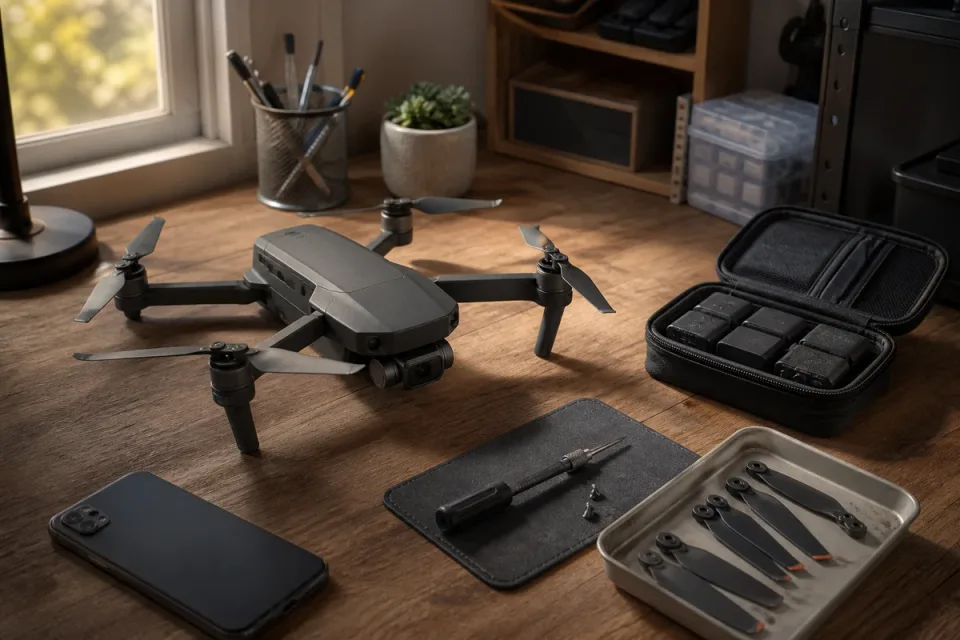
The cover is an original Senkōra concept illustration of a generic older folding camera drone undergoing a maintenance check. It is not a DJI product photograph and does not depict the exact Mavic 2 Pro. Illustration: Senkōra.
Transparent evidence
Method and limitations
We reviewed DJI's official end-of-service table for the Mavic 2 Pro and the scope of services DJI says will stop. We then checked current FAA guidance for recreational flyers and Remote ID to distinguish manufacturer support from U.S. flight requirements. Senkōra has not inspected or tested the reader's aircraft, batteries, app setup, or any independent repair provider.
- DJI's notice does not promise continued application, firmware, operating-system, parts, or accessory compatibility.
- Battery condition and aircraft airworthiness must be assessed unit by unit; age alone does not establish safety.
- Independent repair availability, qualifications, parts provenance, and repairability vary by location and fault.
- FAA rules and location-specific flight restrictions can change; pilots should check current official guidance before flying.
Five key takeaways
- DJI lists August 31, 2026 as the Mavic 2 Pro service-suspension date.
- The change ends DJI product inquiries, technical support, and official maintenance; it is not a remote shutdown or flight ban.
- Owners should preserve records and verify batteries, propellers, app access, controller pairing, and their repair plan before a problem develops.
- FAA registration, Remote ID, airspace, and operating rules remain separate from DJI's support decision.
- A used Mavic 2 Pro can still have practical value, but its condition and support path now matter more than a low purchase price.
Frequently asked questions
Is the DJI Mavic 2 Pro still usable after August 31, 2026?
A working Mavic 2 Pro is not automatically disabled when DJI support ends. DJI's notice concerns product inquiries, technical support, and maintenance. Continued use depends on the condition of the aircraft and batteries, access to a compatible app and mobile device, available parts or independent repair, and compliance with current FAA rules.
Will DJI remotely disable the Mavic 2 Pro?
DJI's end-of-service notice does not announce a remote shutdown, forced grounding, or deactivation of the aircraft. It also does not announce an immediate end date for the flight application. Owners should still avoid assuming indefinite app or operating-system compatibility.
Can DJI still repair a Mavic 2 Pro after support ends?
DJI says product maintenance will no longer be provided after the service-suspension date. Owners should therefore plan as though official repair is unavailable and investigate qualified independent repair options without assuming that every part or repair remains obtainable.
Does the end of DJI support change FAA rules?
No. Manufacturer support and FAA operating requirements are separate. Pilots must continue to follow the rules applicable to their operation, including registration, Remote ID, airspace authorization, operating limits, and the recreational or Part 107 framework where relevant.
Should every Mavic 2 Pro owner replace the drone now?
No. Replacement is not automatic if the aircraft is safe, dependable, suited to the owner's work, and legally operable. Replacement becomes more reasonable when battery health is uncertain, a critical fault cannot be repaired, app compatibility is unreliable, or the risk of downtime is unacceptable.
Primary sources
- support.dji.com · Verified 2026-08-31
- faa.gov · Verified 2026-08-31
- faa.gov · Verified 2026-08-31